Wrist vs bicep: why placement changes your heart-rate data
Updated 7 min readBy Screenless Bands
Every band on this site uses optical heart rate — a green light reading how blood volume changes under your skin. That method is good at rest and increasingly shaky as movement gets violent. The useful finding across independent testing is that where you wear the sensor changes the answer more than which sensor you bought, and it does so in ways you can predict and work around.
How we know this. Accuracy findings are drawn from the professional testing cited in each review, including The5KRunner’s wrist-versus-biceps comparison of the Garmin CIRQA and DC Rainmaker’s Helio Strap testing. The placement matrix and diagnostic table are our own synthesis of those findings. As an Amazon Associate, Screenless Bands earns from qualifying purchases; commissions never change a ranking.
Why the wrist is the hardest place to measure
Wrist optical sensing struggles in three recurring situations, and they show up across every brand we reviewed:
- Gripping. Squeezing a barbell, handlebar or kettlebell tenses the forearm and shifts blood flow under the sensor.
- Rapid intervals. Sharp intensity changes outrun the smoothing these sensors apply, producing lag or plateaus.
- Vibration and impact. Motion artifacts get read as pulses.
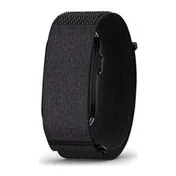
There is a quieter fourth problem: fit. On the Garmin CIRQA, reviewers found the 27 mm-wide pod comfortable on average wrists but noted that smaller wrists can lose sensor contact entirely as the pod bridges the curve of the wrist. A sensor not touching skin consistently cannot be accurate regardless of quality.
What independent testing actually found
The clearest single result comes from The5KRunner's CIRQA testing. On the wrist it reported failures during fast intervals and open-water swimming. Moving the same band to the biceps brought repeat intervals within roughly half a beat of three reference devices. Same sensor, same session type, different answer.
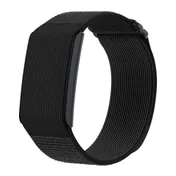
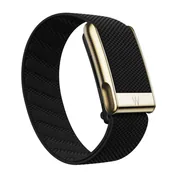
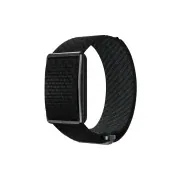
The pattern repeats. On the Amazfit Helio Strap, the upper arm repeatedly produced cleaner heart rate during intervals, lifting and activities involving wrist flexion — and DC Rainmaker, Wareable and longer-term tests generally found strong performance for a $99 tracker, with the upper arm the best position. On WHOOP 5.0, a biceps band reduces motion artifacts for the same reason.
Steady-state work is a different story. Across professional testing of CIRQA, steady running, cycling, yoga and gym circuits generally tracked within a few beats of reference devices at the wrist. If your training is mostly easy aerobic work, wrist placement is fine and this entire debate is academic.
Where to wear it, by session type
Rather than pick one position and live with its worst case, match the position to the session. This is our reading of the accuracy findings above, expressed as a decision table.
| Session | Wear it | Why |
|---|---|---|
| Sleep and 24/7 tracking | Wrist | Comfort drives compliance, and compliance drives data quality. |
| Easy or steady-state cardio | Wrist | Steady running, cycling, yoga and gym circuits tracked within a few beats of reference devices. |
| Intervals and repeats | Upper arm | Wrist readings failed during fast intervals; the biceps came within roughly half a beat of three references. |
| Lifting and grip-heavy work | Upper arm | Gripping tenses the forearm and moves blood flow under the sensor. |
| Swimming | Neither is reliable | Wrist failures were reported in open water; treat swim heart rate as unverified. |
| Threshold testing | Chest strap | For decisions at threshold intensity a chest strap remains the safer reference. |
The swimming row deserves emphasis. Wrist failures were reported in open water, and none of our sources establishes a reliable alternative for these bands in the pool. Treat swim heart rate from a screenless band as unverified rather than merely imprecise.
Which bands can actually move
Not every band offers an upper-arm position, and this is worth checking before purchase if intervals or lifting are your main sessions.
| Band | Upper-arm option | Starting a workout |
|---|---|---|
| Garmin CIRQA | Yes — Garmin sells an upper-arm band | Physical button starts one chosen activity |
| Amazfit Helio Strap | Yes — official upper-arm accessory | No useful on-band workout control |
| WHOOP 5.0 | Yes — wearable in multiple locations | Button-free sensor |
| Google Fitbit Air | Not documented in our sources | Starting workouts usually means the phone |
| Polar Loop | Not documented in our sources | Start deliberately from Polar Flow |
The Polar Loop limitation is the one to plan around: Loop cannot pair with an external heart-rate sensor as a way to replace its own readings. That removes the usual escape hatch of strapping on a chest belt and letting the band record from it, so a Loop owner who wants accurate interval data needs a second device recording separately.
Diagnosing bad data
Most "my tracker is inaccurate" complaints resolve into a handful of causes, and only some of them are sensor problems. This table maps the symptom to the likely cause and the fix that actually works.
| Symptom | Likely cause | Fix |
|---|---|---|
| Heart rate plateaus during intervals | Optical sensing cannot follow sharp intensity changes at the wrist | Move the sensor to the upper arm for that session |
| Heart rate spikes while lifting | Grip tension and sensor movement | Loosen nothing — reposition to the upper arm instead |
| A workout is missing its first minutes | Automatic detection starts after a delay, and editing cannot recreate samples that were never collected | Start the session manually before you begin |
| A workout ran for hours | A manual session was never stopped | Check the app after training; this also drains the battery |
| Route distance looks too long or too short | Connected GPS reports your phone’s track, not the band’s | Change where you carry the phone, then retest on a known route |
| A whole class was never recorded | Automatic detection missed it | Treat auto-detection as a convenience, never as the record |
The third row is the one people get wrong most often. Automatic detection begins after a delay, and editing the activity afterwards cannot recreate heart-rate samples that were never collected before detection started. Garmin lets you trim an auto-detected activity in Connect, but trimming removes data — it does not restore it.
Run the comparison yourself in one week
You do not need a lab to find out how your band behaves on your body. This is a compressed version of the protocol we use, and it is worth a week of your time before you decide a device is broken.
- Get a reference. A chest strap recording to a separate app. Without a reference you are comparing a device to your intuition.
- Session 1 — steady. Thirty minutes at an easy, constant effort, band on the wrist. Expect close agreement; if you do not get it here, suspect fit before anything else.
- Session 2 — intervals, wrist. Six repeats of one minute hard, two minutes easy. Note whether the band's peaks arrive late or top out lower than the strap.
- Session 3 — same intervals, upper arm. Identical workout, sensor moved. This is the comparison that told The5KRunner more than any single test.
- Session 4 — lifting. Any grip-heavy session, both positions if you can manage two sessions.
- Compare averages and peaks, not the graph shape. Average heart rate can look fine while every peak is wrong, which is exactly the failure mode that matters for interval training.
Record the conditions. Firmware version, phone platform and sensor position. Early reports on new bands are unusually mixed, and a result without those three details cannot be compared against anyone else's.
What we could not verify
- We have not run controlled validation ourselves on every band. The accuracy findings above are drawn from professional testing that we cite directly; where results conflict, we say so rather than picking a winner.
- Owner comparisons are not validation. Reports of Helio Strap agreeing closely with a Polar H10 overnight are encouraging but uncontrolled, and they say nothing about behavior during 30-second repeats.
- Firmware changes these results. Amazfit has continued to tune BioCharge and activity recognition, so an older review may describe a different device than the one you receive.
- Upper-arm support is documented for three bands. For Fitbit Air and Polar Loop our sources do not address it, which is not the same as confirming it is unavailable.
Frequently asked questions
Is bicep placement really more accurate than the wrist?
For high-intensity and grip-heavy work, yes. Testing of the Garmin CIRQA found wrist failures during fast intervals, while the same band on the biceps tracked repeat intervals within roughly half a beat of three reference devices.
Which screenless bands support an upper-arm strap?
Garmin sells an upper-arm band for CIRQA, Amazfit offers an official upper-arm option for the Helio Strap, and WHOOP 5.0 can be worn in multiple locations including the biceps.
Can I pair a chest strap with a screenless band instead?
It depends on the band. Polar Loop cannot pair with an external heart-rate sensor to replace its own readings, so a chest strap has to be recorded by a separate app or device.
Does wrist optical heart rate work for easy runs?
Generally yes. Steady running, cycling, yoga and gym circuits tracked within a few beats of reference devices in professional testing. The failures cluster around intervals, lifting and swimming.
Why did my tracker miss the start of my workout?
Automatic detection begins after a configurable delay. Editing the activity afterwards cannot recreate heart-rate samples that were never collected, so start sessions manually when the data matters.